Sub-items
In monday.com, sub-items are created in a hidden board, but those boards are shown in the board list in the app.
The sub-item boards are named after the boards in which they reside in. For example, if a board is called "Sample board", the sub-item board is named "Subitems of Sample board"
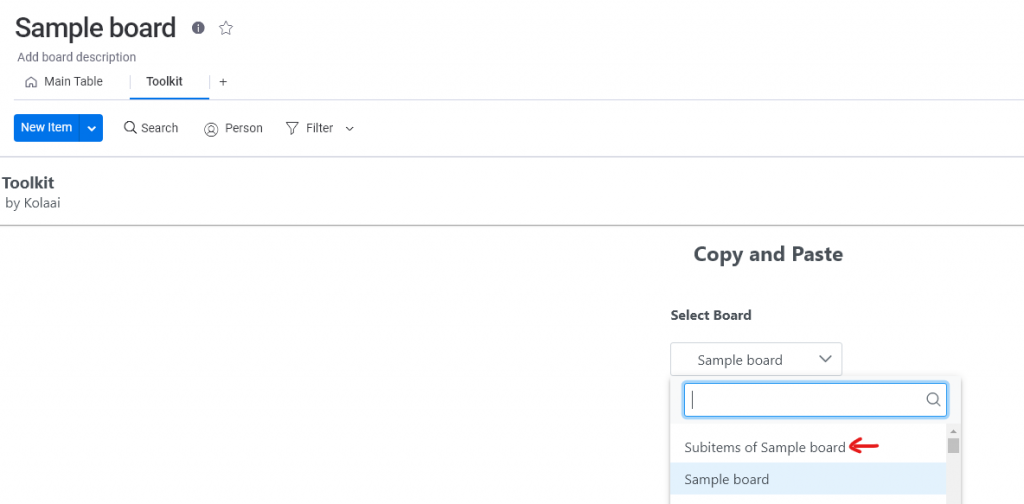
Therefore to paste into a sub-item, select the sub-item board and the rest of the process is that same as a regular item which you can find in the Getting Started section